SEO, AEO & GEO workspace
SEO, AEO & GEO. One powerful workspace.
Audit your site, check how AI answers mention you and plan what to publish next. Many essential tools are free, advanced services are planned as pay-as-you-go from one shared wallet, and there is no mandatory subscription.
We’ll check your URL first, then sign you in before creating a project. Nothing is charged today.
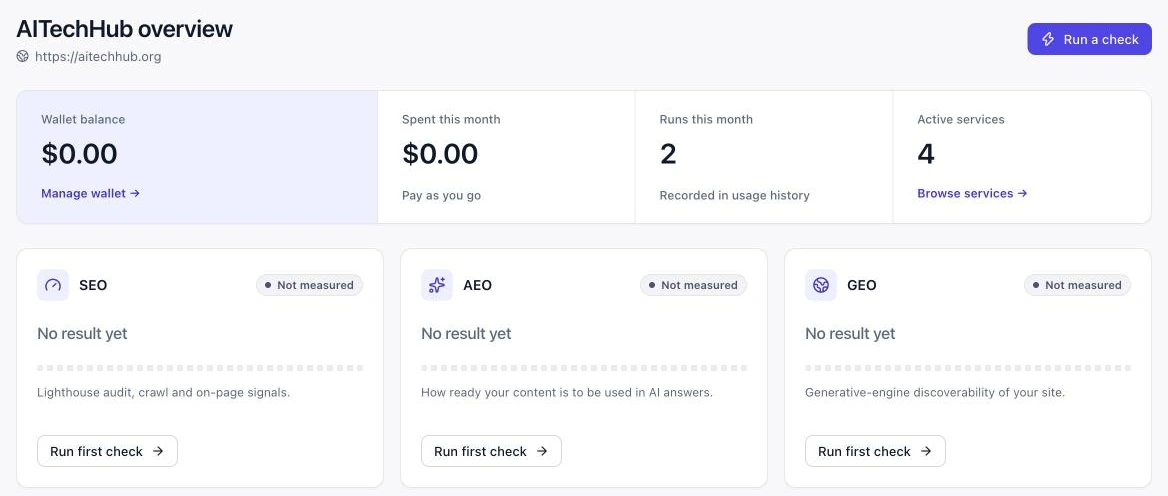
Three pillars
Three ways to be found, in one place
- SEO
Be found in search
Audit pages, validate sitemaps and robots rules, measure Core Web Vitals and bring in your own Search Console data.
- Audits
- Sitemap & robots
- Web Vitals
- AEO
Be the answer
Ask a live, search-grounded Gemini answer your own prompt and see whether your domain is mentioned and which sources it cites.
- Mentions
- Cited sources
- Competitors
- GEO
Be cited by AI
Plan topic clusters, briefs and keyword strategy for the questions people now put to AI assistants.
- Topic clusters
- Content briefs
- Keywords
Free essentials
Tools you can run today, at no cost
Six essentials, no wallet needed.
- Free
Sitemap & robots checker
Fetch and validate your sitemap and robots.txt.
- Free
Core Web Vitals
Google PageSpeed lab scores, plus real-user data when Google has enough traffic.
- Free
Search Console & GA4
Connect your own Google account and view your data read-only.
- Free
Topic clusters
Group keywords into topics and plan the pages around them.
- Free
Content brief
Turn a target keyword into a structured brief for writers.
- Free
Keyword strategy
Organise keyword research into a plan you can act on.
Deeper checks for when you need more
These use more compute or third-party data, so they are planned as pay-as-you-go from the shared wallet. Online top-ups are not live yet.
Site audit & crawl
Full-site crawls with issues, metadata, links and performance signals per page.
AEO & GEO visibility
Search-grounded Gemini checks that report mentions, cited sources and competitors.
Rank tracking
Keyword position checks through a third-party search data provider, with usage limits.
Monitoring & alerts
Uptime, SSL and domain-expiry checks with a record of every run.
Usage credits
Usage credits. Pay only for what you run.
The plan is a shared balance of software usage credits for every eligible service, with each run metered and recorded, and no mandatory subscription.
- Free essentials stay free to run.
- Advanced services use software credits, not separate plans.
- Online purchases are not live yet; the balance currently uses demonstration credit with no cash value.
- Prices are shown inside the app before you run a service.
- Site audit & crawl
- AEO & GEO visibility
- Rank tracking
- Monitoring & alerts
How it works
From sign-in to first result in four steps
Sign in
Continue with GitHub or Google and open your workspace.
Create a project
Add the site you are working on. Everything is scoped to it.
Run a service
Start with the free essentials, then add advanced services when you need them.
Review and repeat
Keep results with the project and re-run checks to see what changed.
Inside the workspace
Browse services, activate what you need
The service inventory lists everything in the catalog. Activating a service is always free; you only pay when an advanced service runs, once billing goes live.
Open the workspace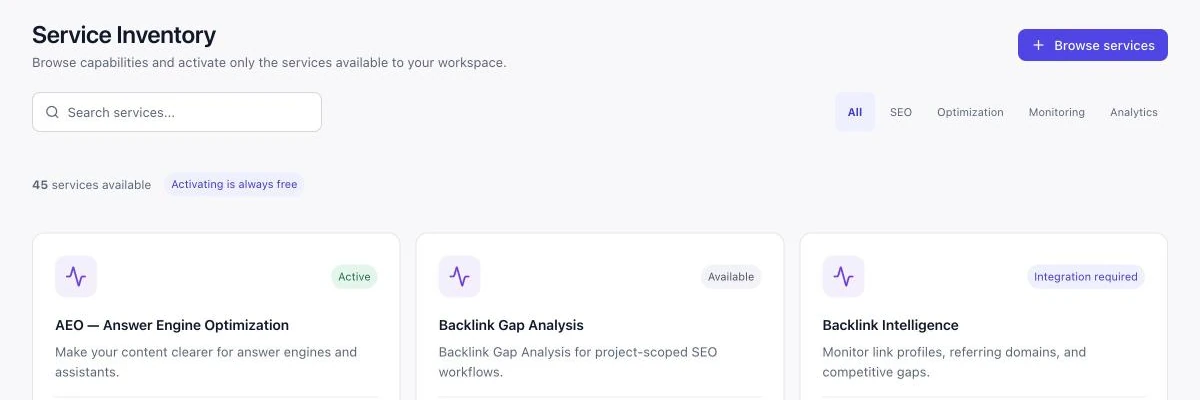
FAQ
Straight answers
What is live, what is being connected, and what is coming next.
Is FounderLens free?
Many essential tools are free to use. Advanced services are planned to be pay-as-you-go using software usage credits. There is no mandatory subscription.
Can I buy usage credits today?
Not yet. Online purchases are not live, so advanced services run on demonstration credit while payments are being finished. We will say clearly when real payments go live.
Are all tools available?
No. Tools appear as they are connected and tested. Anything that needs an external data provider is labelled “integration required” inside the app until it is connected.
What do AEO and GEO checks actually measure?
They ask one AI engine (Gemini, grounded in Google Search) your prompt and report whether your domain is mentioned, what it cites and which competitors appear. They are single-answer checks, not rankings or share-of-voice.
What access do you need to my Google data?
Signing in with Google only shares your name, email and profile picture. Search Console and Analytics are an optional, separate connect step; access is read-only and you can disconnect any time.
Start with the free tools.
Sign in with GitHub or Google and run your first check in minutes.
Get started free